
On this page
Changing nodes a few times a day on a Mac calls for a different interface from inspecting connections, editing overrides, and managing several subscriptions. Habits on other devices and recovery after sleep or network changes also matter. Choose a client that handles your everyday tasks rather than moving an entire working setup just for a new interface.
Choosing for a new Mac, multiple devices or an existing ClashX setup
macOS comparison table
| Usage pattern | Recommendation | Why |
|---|---|---|
| New installation that should track current Mihomo and system updates | Clash Verge Rev | Actively released, with complete Profile, log, backup, and TUN management |
| Use the same interface on Android or Linux | FlClash | The official project maintains builds for Android, Windows, macOS, and Linux |
| Already rely on the long-established ClashX menu bar workflow | Keep ClashX/Pro for now, then evaluate migration | Existing configurations and workflows are inexpensive to keep, but verify current project documentation before relying on new protocols or enhanced mode |
Release sources, chip architectures and macOS compatibility
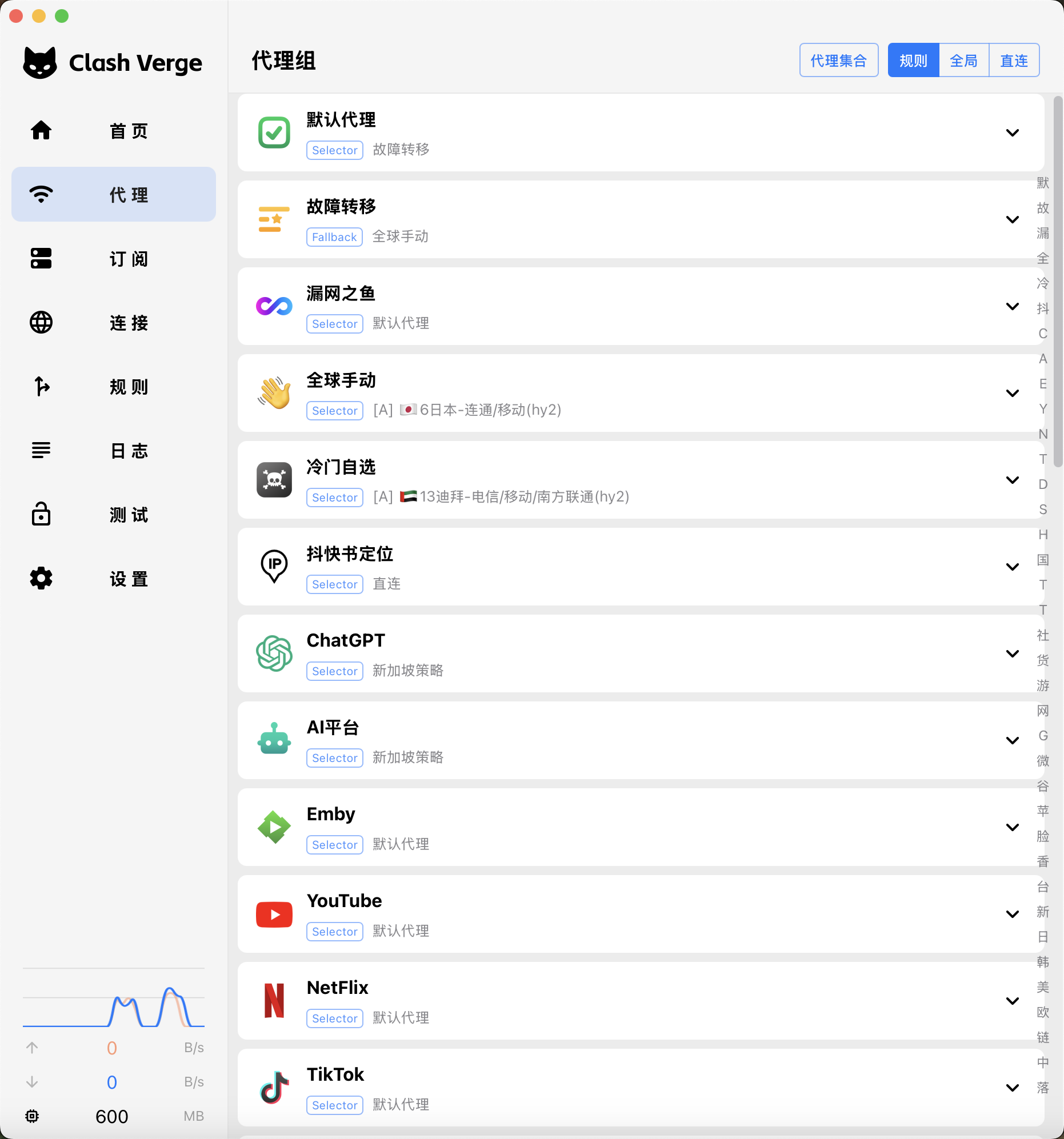
Clash Verge Rev v2.5.2 was released in 7/2026. Official builds remain available for Apple silicon and Intel, with ongoing work on macOS service, DNS and backup issues. Consult the project documentation for installation and permission instructions, and recheck compatibility requirements after upgrading macOS.
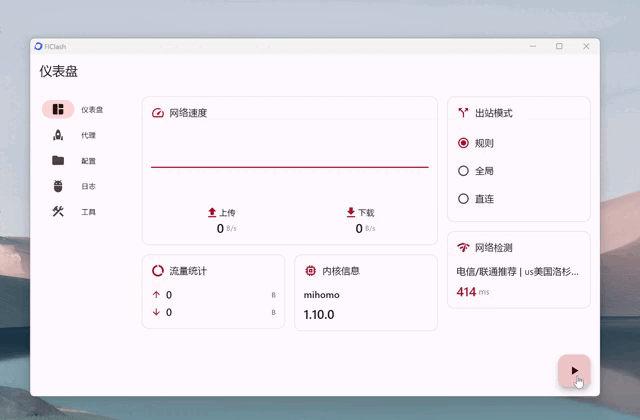
The official FlClash repository explicitly supports Android, Windows, macOS, and Linux. Its advantage is a similar workflow across devices, not more system-level capabilities on macOS than every other client.
ClashX-Pro/ClashX is a third-party continuation created after the original ClashX stopped being publicly maintained; it is not the original official yichengchen/clashX repository. It currently documents compatibility fixes for macOS 10.14+ and macOS 15, and directs needs such as Enhanced Mode and newer protocols to ClashFX. New users should verify its source, maintenance path, and core capabilities first.
Menu bar or a separate window: how do you manage subscriptions, connection logs, and TUN?
- Clash Verge Rev
- Manage Profile, policy groups, connections, rules, and Merge in dedicated screens; a good fit if you frequently trace where a specific request went.
- FlClash
- Desktop and mobile entry points are similar, which works well for multi-device users, but Mac permissions for the system proxy, background operation, and TUN still require separate setup.
- ClashX / Pro
- Designed primarily for quick menu bar switching. The default configuration directory is ~/.config/clash, and config.yaml or custom configurations can be selected from the menu.
How system traffic capture compares
| Item | Clash Verge Rev | FlClash | ClashX / Pro |
|---|---|---|---|
| System proxy | Toggle it and inspect connections in the full window | The entry point resembles the mobile version, but Mac still uses its own system permissions | Quick menu bar toggle, ideal for lightweight switching |
| TUN / enhanced traffic capture | Install the background service through the current version’s controls, then check the permissions needed to create the virtual adapter. | Grant permission through the current version's entry point; do not copy Android settings | Enhanced Mode and the newer Mihomo TUN do not follow the same migration path |
| Sleep and network switching | After closing the lid, waking, and quitting, separately confirm that the service and proxy recover correctly | A consistent cross-device interface does not mean background behavior is identical on Mac | You can keep a stable existing workflow, but verify compatibility with newer systems |
Menu-bar controls are enough if you only update subscriptions and occasionally switch nodes. A full window makes multiple subscriptions, merged configuration and exported logs easier to find. Apple chip support, TUN authorization and background behavior still need testing on your own Mac.
Before trying a new client, disable the old TUN and system proxy, then quit the app
Safe comparison
Record the old configuration
Save the subscription, custom rules, current ports, and the mode actually enabled from the menu bar.
Disable the old TUN and system proxy
Quit the app completely, then confirm in macOS network settings that no HTTP, HTTPS, or SOCKS settings remain.
Start one new client
Begin with the system proxy and a fixed node; do not add both apps as login items.
Test sleep and network switching
After waking from a closed lid and after switching Wi-Fi, visit a site and inspect the connection log each time.
Observed result
| Result | Decision |
|---|---|
| Required Profile, overrides, and logs all work directly | Prefer keeping Clash Verge Rev |
| Switching among multiple devices is clearly easier, and Mac sleep behavior is stable | Prefer keeping FlClash |
| The existing ClashX configuration remains stable, and you need neither new protocols nor TUN | Keep it for now; do not migrate only for a new interface |
| Both clients show port conflicts or break networking after exit | Clean up the old service and residual proxy settings before evaluating either client |